
Prefetch
proves executionRun count, last 8 run times, and every file it loaded.
Windows execution artifact viewer
Prefetch, Amcache, Shimcache, BAM/DAM, and UserAssist each hold part of the story, and each one can be wrong in a different way. Execution Parser reads all five directly from disk and lines them up in a single timeline, so you can corroborate one artifact against another instead of taking any single one at its word.
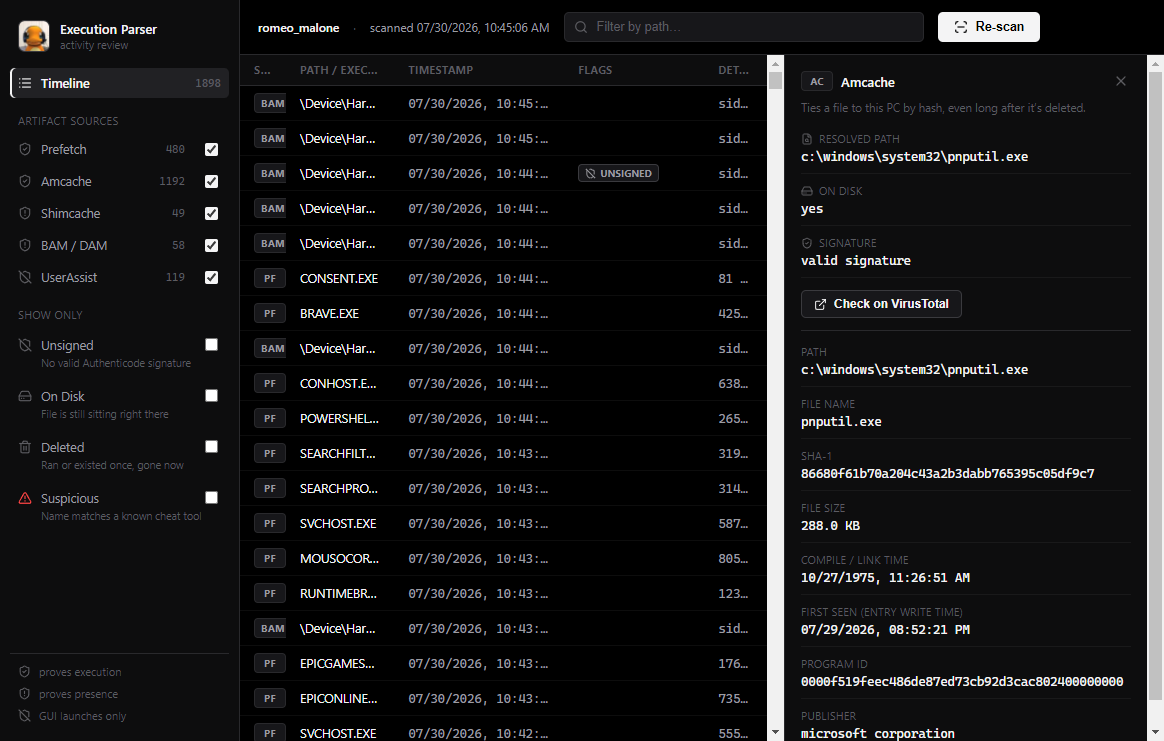
Every execution artifact on Windows has a blind spot. Execution Parser doesn't hide that.
Run count, last 8 run times, and every file it loaded.
SHA-1, file size, compile time, first seen. Delete the file after and this still shows it.
Says the file was on disk.
Last time each user ran something.
Only sees stuff from the Start menu or Explorer.